
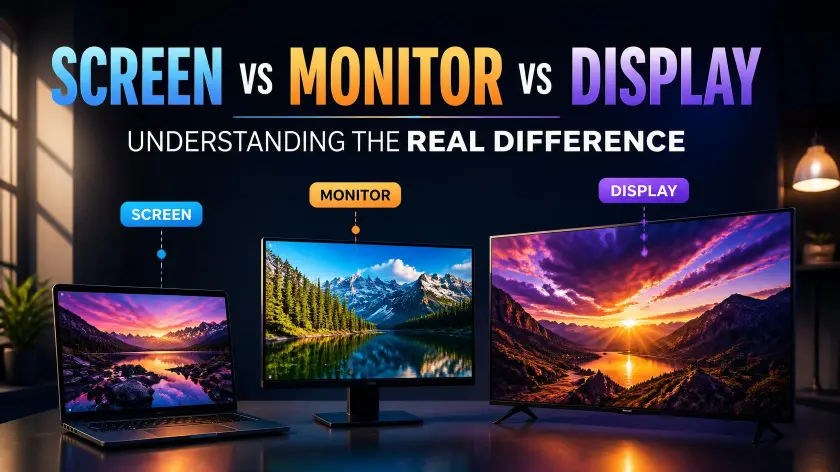
The terms screen, monitor, and display are often used interchangeably, but they do not always mean the same thing. Many people use these words casually when talking about computers, televisions, phones, and other electronic devices. However, each term has a slightly different meaning based on context, technology, and usage.
Understanding screen vs monitor vs display helps you choose the right word when discussing technology. Whether you are buying a computer setup, writing a technical article, or troubleshooting a device, knowing the difference makes communication clearer.
Here’s why:
A screen is the visible surface where images and information appear.
A monitor is a complete device designed to show visual output, usually connected to a computer.
A display is the broader technical term for the technology that produces images.
These words overlap, but they are not perfect replacements for one another.
The Core Rule Explained Simply
The easiest way to understand the difference is:
Screen = the part you look at.
Monitor = the device that contains a screen and connects to another system.
Display = the technology or component that creates the image.
Think about a laptop.
The entire laptop is not called a screen.
The laptop has a display screen built into it.
Now think about a desktop computer.
The separate device sitting on your desk is called a monitor.
Inside that monitor is a display panel.
The terms become clearer when you separate the physical device from the image-producing technology.
Screen: The Visible Viewing Area
A screen refers to the surface where images, videos, text, and graphics appear.
Examples:
- Phone screen.
- Tablet screen.
- Laptop screen.
- Television screen.
When someone says:
“My screen is cracked.”
They usually mean the visible glass or panel they interact with.
The word screen focuses on the user’s experience.
It answers the question:
What am I looking at?
Monitor: A Separate Viewing Device
A monitor is a standalone device used mainly with computers or other electronic equipment.
Examples:
- Gaming monitor.
- Computer monitor.
- Professional editing monitor.
A monitor usually includes:
- A display panel.
- Electronics.
- Ports.
- Controls.
- A stand or mounting system.
A monitor receives signals from another device and displays the information.
For example:
A desktop computer sends video information to a monitor.
The monitor shows the image.
Display: The Technical Image System
A display is the broadest term.
It refers to the technology that creates visible images.
Examples:
- OLED display.
- LCD display.
- LED display.
- Retina display.
Display can refer to:
- The physical panel.
- The image technology.
- The output system.
In technical conversations, display is often the most accurate word.
Side-by-Side Comparison Table
| Situation | Example | Meaning | Correct Usage |
| Visible viewing surface | My phone screen is damaged. | The area showing images. | Use screen |
| Desktop computer device | I bought a new gaming monitor. | A separate display unit. | Use monitor |
| Technology type | This laptop has an OLED display. | Image-producing technology. | Use display |
| Troubleshooting | My screen is flickering. | The visible output problem. | Use screen |
| Hardware discussion | The monitor has HDMI ports. | Complete external device. | Use monitor |
| Technical specifications | The display has a high refresh rate. | Panel technology. | Use display |
Deep Dive Into Category 1: Understanding Screen
The word screen is the most common and general term people use in everyday conversations. It describes the surface where visual information appears.
A screen can be part of another device or a standalone viewing area.
When to Use Screen
Use screen when talking about the part you directly see or touch.
Common examples include:
- Smartphone screens.
- Laptop screens.
- Tablet screens.
- TV screens.
- Smartwatch screens.
Examples:
- My phone screen is too bright.
- The laptop screen is frozen.
- The tablet screen needs cleaning.
In these sentences, screen refers to the visible area.
The focus is not on the internal technology.
It is about the user’s interaction.
Screen in Everyday Language
Most people naturally say screen because it is simple and understandable.
For example:
“I spend too much time looking at screens.”
This can include:
- Phones.
- Computers.
- TVs.
- Tablets.
Nobody usually says:
“I spend too much time looking at displays.”
Although technically possible, it sounds more formal.
Screen is the everyday choice.
Screen as a Physical Component
A screen can be a physical part of a device.
For example, a smartphone contains:
- A screen.
- A battery.
- A processor.
- A camera.
The screen is only one component.
Similarly, a laptop contains a screen attached to the main body.
When someone replaces a damaged phone screen, they are replacing the visible display assembly.
Different Types of Screens
Modern screens use different technologies.
Examples:
LCD screens
These use liquid crystals and backlighting to create images.
OLED screens
These use individual light-producing pixels.
Touch screens
These allow users to interact directly.
The word screen describes the user-facing surface regardless of the underlying technology.
Quick Test for Screen
Ask:
1. Am I talking about the part I look at?
If yes, use screen.
Example:
“My phone screen is cracked.”
2. Is it something a person touches or views directly?
If yes, screen is likely correct.
3. Would an everyday person understand the term?
If yes, screen is usually the best choice.
Quick checklist:
Use screen when:
- Talking casually.
- Describing visible damage.
- Discussing user interaction.
- Referring to phones, tablets, and laptops.
- Talking about the viewing surface.
Avoid using screen when:
- Discussing a separate computer accessory.
- Talking about technical panel specifications.
- Describing hardware components.
Deep Dive Into Category 2: Understanding Monitor
The word monitor refers to a complete device designed to display visual information.
Unlike a screen, a monitor is usually separate from the main computer system.
When to Use Monitor
Use monitor when discussing a desktop computer display.
Examples:
- I bought a new monitor for gaming.
- My monitor has a 144Hz refresh rate.
- The monitor connects through DisplayPort.
A monitor is a physical product.
You can buy one separately.
You can replace one.
You can connect one to different devices.
Monitor vs Laptop Screen
This is where many people become confused.
A laptop has a screen.
A desktop computer usually uses a monitor.
Why?
Because the laptop display is built into the computer.
The desktop monitor is an independent device.
Compare:
Laptop:
Computer + built-in screen
Desktop:
Computer tower + separate monitor
The difference is based on design.
Monitor Features
A modern monitor may include:
Refresh rate
How many times the image updates each second.
Example:
60Hz, 120Hz, 240Hz.
Resolution
The number of pixels shown.
Example:
1080p, 1440p, 4K.
Response time
How quickly pixels change.
Important for gaming.
Panel type
Examples:
- IPS.
- VA.
- OLED.
These specifications describe the monitor’s performance.
Types of Monitors
Different users choose different monitors.
Gaming Monitors
Gaming monitors focus on:
- High refresh rates.
- Low response times.
- Smooth motion.
Example:
A gamer may choose a 240Hz monitor for competitive games.
Professional Monitors
Professionals may need monitors with:
- Accurate colors.
- High resolution.
- Large screen sizes.
Examples:
- Video editing.
- Graphic design.
- Photography.
Office Monitors
Office users often prioritize:
- Comfort.
- Productivity.
- Multiple connections.
Quick Test for Monitor
Ask:
1. Is it a separate device connected to a computer?
If yes, use a monitor.
Example:
“I need a larger monitor for my desk.”
2. Can I purchase it independently?
If yes, it is probably a monitor.
3. Does it have ports and controls?
If yes, a monitor is likely correct.
Quick checklist:
Use monitor when:
- Discussing desktop setups.
- Buying external displays.
- Talking about computer accessories.
- Comparing gaming hardware.
Avoid using monitor when:
- Talking about a phone screen.
- Describing only the panel technology.
- Referring to a built-in laptop component.
Deep Dive Into Category 3: Understanding Display
The word display is the broadest and most technical term among screen, monitor, and display. It focuses on the system or technology responsible for creating images rather than just the physical object a person looks at.
A display can exist inside many different devices.
Examples:
- Smartphone display.
- Laptop display.
- Monitor display.
- Television display.
- Digital signage display.
When manufacturers talk about specifications, they often use the word display because it describes the image-producing technology.
Here’s why:
A display tells you how visual information is created.
It does not always tell you whether the component is inside a phone, laptop, or external monitor.
When to Use Display
Use display when discussing technical details, specifications, or image quality.
Examples:
- This laptop has a high-resolution display.
- The phone features an OLED display.
- The monitor uses an IPS display panel.
The word sounds more professional because it focuses on technology.
Display as a Technology Term
Technology companies often prefer the term display.
For example:
- OLED display.
- Liquid Retina display.
- AMOLED display.
- HDR display.
These terms describe the quality and capabilities of the image system.
A screen may be OLED.
A monitor may contain an OLED display.
The display is the technology creating the picture.
Display in Different Devices
A display can appear in many forms.
A smartphone has a display.
A smartwatch has a display.
A car dashboard has a display.
A digital billboard has a display.
The word is flexible because it focuses on visual output.
Quick Test for Display
Ask:
1. Am I discussing technology or specifications?
If yes, use display.
Example:
“This device has an excellent OLED display.”
2. Am I talking about image quality?
If yes, display is often better.
Example:
“The display offers accurate colors.”
3. Am I writing technical content?
If yes, display usually sounds more appropriate.
Quick checklist:
Use display when:
- Discussing panel technology.
- Comparing image quality.
- Writing technical specifications.
- Talking about visual output systems.
Avoid using display when:
- Speaking casually about a cracked phone.
- Referring specifically to a separate computer accessory.
- Describing the entire hardware device.
The Meaning Shift: Screen vs Monitor vs Display
Although people often use screen, monitor, and display as synonyms, each word creates a slightly different meaning.
The biggest difference is perspective.
Screen focuses on the user’s view.
Monitor focuses on the physical device.
Display focuses on the technology.
Consider a gaming setup.
A person might say:
“My screen looks amazing.”
They are talking about the viewing experience.
A hardware reviewer might say:
“This monitor has excellent build quality.”
They are talking about the complete product.
A technology expert might say:
“This display uses OLED technology.”
They are talking about the image-producing system.
The object may be the same, but the perspective changes.
Formal vs Casual Contexts
The correct choice between screen, monitor, and display depends heavily on the environment.
Casual Conversations
In everyday speech, people usually prefer screen.
Examples:
- My phone screen cracked.
- The screen is too small.
- I spend hours looking at screens.
This sounds natural.
People rarely say:
- My phone display cracked.
Although correct, it sounds more technical.
Computer Discussions
When talking about desktop computers, monitor is usually the preferred term.
Examples:
- I bought a new monitor.
- My monitor supports 4K resolution.
- The monitor has multiple HDMI ports.
The word immediately tells people you mean a separate device.
Technical Writing
In technical content, display is often the best choice.
Examples:
- The device features a 6.7-inch AMOLED display.
- The display supports HDR content.
- The display panel offers improved brightness.
This language matches product specifications.
Professional Reviews
Technology reviewers often use all three words.
Example:
“The monitor uses an OLED display, creating a sharp screen experience.”
Each word serves a different purpose.
Monitor:
The complete product.
Display:
The image technology.
Screen:
The user-facing surface.
Case Studies and Pop Culture Examples
Real-world examples make the differences easier to understand.
Case Study 1: Smartphone Marketing
Phone companies usually say:
- OLED display.
- Super Retina display.
- AMOLED display.
They rarely advertise:
- OLED screen technology.
Why?
Because display sounds more technical and premium.
Example:
“A smartphone with an advanced OLED display.”
This highlights the technology.
Case Study 2: Gaming Culture
Gamers usually talk about monitors.
Examples:
- 240Hz gaming monitor.
- Ultrawide monitor.
- Curved monitor.
They focus on the hardware product.
A gamer choosing a setup compares:
- Size.
- Refresh rate.
- Resolution.
- Response time.
These are monitor features.
Case Study 3: Television Usage
People usually say:
- TV screen.
- Television screen.
Manufacturers say:
- OLED display.
- QLED display.
Both are correct.
The difference depends on whether the speaker is focusing on everyday use or technical specifications.
Advanced Scenarios and Flowchart
Use this decision process to choose the right word:
Start:
Are you talking about the visible area where images appear?
Yes → Use **screen**
Example: My phone screen is cracked.
No → Continue.
Is it a separate device connected to a computer?
Yes → Use **monitor**
Example: I bought a new gaming monitor.
No → Continue.
Are you discussing image technology, quality, or specifications?
Yes → Use **display**
Example: This laptop has an OLED display.
No → Consider the context.
Quick decision guide:
Phone or tablet viewing area → Screen
Desktop external device → Monitor
OLED, LCD, AMOLED technology → Display
Technical image system → Display
Everyday visible surface → Screen
Computer accessory → Monitor
Quick Reference Table
| Term | Simple Meaning |
| Screen | The surface where you see images |
| Monitor | A separate device that shows computer output |
| Display | The technology that creates visual images |
Common Mistakes That Lower Quality
Even experienced writers sometimes misuse these terms because they overlap.
Mistake 1: Calling Every Screen a Monitor
Incorrect:
“My phone monitor is broken.”
Correct:
“My phone screen is broken.”
A monitor usually refers to a separate display device.
Mistake 2: Using Screen for Technical Specifications
Less precise:
“This phone has a great screen technology.”
Better:
“This phone has a great display technology.”
Display is more accurate when discussing hardware.
Mistake 3: Confusing Display With Device
Incorrect:
“I bought a new display for my desk.”
This could be unclear.
Better:
“I bought a new monitor for my desk.”
The monitor is the complete product.
Mistake 4: Assuming Screen and Display Are Always Identical
They are closely related but not exactly the same.
A screen is the visible part.
A display can refer to the entire image-producing system.
Mistake 5: Ignoring Audience
A casual user may prefer:
“Laptop screen.”
A technical expert may prefer:
“Laptop display panel.”
Both can be acceptable depending on context.
Memory Hacks That Actually Work
Remembering these three words becomes easier with simple associations.
Memory Hack 1: Screen = See
The word screen connects with seeing.
You look at a screen.
Examples:
- Phone screen.
- Laptop screen.
Memory Hack 2: Monitor = Machine
Think:
Monitor = a separate machine.
A monitor is hardware you connect.
Examples:
- Gaming monitor.
- Office monitor.
Memory Hack 3: Display = Details
Think:
Display = details about image technology.
Examples:
- OLED display.
- High-resolution display.
Why Precision Matters (SEO/Authority)
Using the correct technology terms improves credibility, especially in SEO content, product reviews, and technical writing.
Readers trust content that uses accurate vocabulary.
A poorly chosen term can make an article appear less knowledgeable.
For example:
A product review saying:
“This phone monitor has a 120Hz refresh rate.”
sounds incorrect.
A better version:
“This phone display has a 120Hz refresh rate.”
Similarly:
“I purchased a new display for my computer.”
is less clear than:
“I purchased a new monitor for my computer.”
Precision improves:
- Reader trust.
- Content quality.
- Search visibility.
- Professional authority.
Search engines favor content that clearly answers user questions.
When writers explain technical differences accurately, they create more useful resources.
A Quick Quiz
Fill in the blanks with screen, monitor, or display.
1. My smartphone ______ is cracked after dropping it.
2. I purchased a new gaming ______ with a 240Hz refresh rate.
3. This laptop has an OLED ______ with excellent color accuracy.
4. I use two ______ at my office desk.
5. The tablet ______ supports touch input.
6. The manufacturer improved the device’s ______ brightness.
7. My computer ______ stopped working suddenly.
Answers
- My smartphone screen is cracked after dropping it.
- I purchased a new gaming monitor with a 240Hz refresh rate.
- This laptop has an OLED display with excellent color accuracy.
- I use two monitors at my office desk.
- The tablet screen supports touch input.
- The manufacturer improved the device’s display brightness.
- My computer monitor stopped working suddenly.
Conclusion: Screen vs Monitor vs Display
Understanding the difference between screen, monitor, and display helps you communicate more accurately when discussing modern technology. Although people often use these terms interchangeably, they describe different aspects of a device. A screen is the visible surface where images appear, a monitor is a separate hardware device used mainly with computers, and a display refers to the technology that produces images. Knowing when to use each word improves technical conversations, product comparisons, and everyday explanations. The right term depends on whether you are discussing appearance, hardware, or image technology.
As technology continues to evolve, the boundaries between these words can sometimes feel unclear. Smartphones, laptops, televisions, and computers often combine screens and displays into a single device, making confusion common. However, remembering the basic rule makes the difference simple: screen is what you see, monitor is what you connect, and display is what creates the image. Using precise vocabulary makes your writing more professional, improves credibility, and helps readers understand exactly what you mean in technical and casual situations.
Frequently Asked Questions
What is the main difference between screen, monitor, and display?
The main difference between screen, monitor, and display is what each word focuses on. A screen refers to the visible area where images appear, a monitor refers to a complete external device that displays computer output, and a display refers to the technology or panel responsible for creating the image.
Is a monitor the same as a screen?
A monitor contains a screen, but they are not exactly the same thing. A monitor is the complete device, including the display panel, electronics, ports, and controls. The screen is the part of the monitor that you look at. In casual conversation, people often use these words interchangeably, but technically they describe different parts.
Is a laptop screen called a display?
Yes, a laptop screen can also be called a display. In technical specifications, manufacturers often use the term display because they are describing the image technology, such as an OLED or LCD panel. In everyday conversations, people usually say laptop screen because it is simpler and more common.
Should I say phone screen or phone display?
Both terms are correct, but they have slightly different uses. Phone screen is more common in everyday speech when talking about the visible surface, damage, or touch interaction. Phone display sounds more technical and is often used when discussing resolution, OLED technology, brightness, or color accuracy.
What should I call a desktop computer screen?
For a desktop computer, the most accurate term is usually monitor. A desktop monitor is a separate device connected to the computer that shows images and information. People may casually say computer screen, but monitor is the preferred term when discussing hardware, purchases, or technical specifications.
Why do people confuse screen and display?
People confuse screen and display because both relate to the part of a device that shows images. Modern devices combine the visible surface and image-producing technology into one component, especially smartphones and laptops. As a result, the terms overlap in everyday language even though display is often more technical.
Is display a better word than screen?
Neither word is always better because they serve different purposes. Screen is better for casual discussions about the visible surface, while display is better for technical conversations about image quality and technology. For example, “cracked screen” sounds natural, while “OLED display” is more accurate than “OLED screen technology.”
What is the difference between a gaming monitor and a display?
A gaming monitor is the complete hardware product designed for gaming, while a display refers to the panel technology inside it. A gaming monitor may include an OLED display, high refresh rate, fast response time, and gaming features. The display is only one component of the entire monitor.
Can a TV have a screen and a display?
Yes, a television has both a screen and a display. The screen is the visible surface viewers watch, while the display refers to the technology producing the image. Manufacturers often discuss TV displays when mentioning OLED, QLED, resolution, or HDR features, while users commonly talk about the TV screen.
How can I easily remember screen, monitor, and display?
A simple memory trick is: screen is what you see, monitor is what you buy, and display is what creates the picture. If you are talking about a viewing surface, use screen. If you mean a separate computer device, use monitor. If you are discussing image technology, use display.

Grace Walker is a passionate writer and English language enthusiast who enjoys making everyday English clear, practical, and easy to understand. At Grammarzcore, she creates helpful content about grammar, word meanings, sentence usage, and common language questions. Her writing turns confusing topics into simple explanations that readers can use with confidence. Grace aims to help students, professionals, and everyday learners communicate more clearly, naturally, and effectively while developing a stronger understanding of the English language through useful, engaging, and reliable guidance.